





How can I cancel my subscription?
BACK TO TOP
There are currently two ways to cancel a subscription:
- Contact our support team via the Contact Form with your request.
- Cancel directly within your web account. To do this, follow the instructions below:
1. Open thislink.
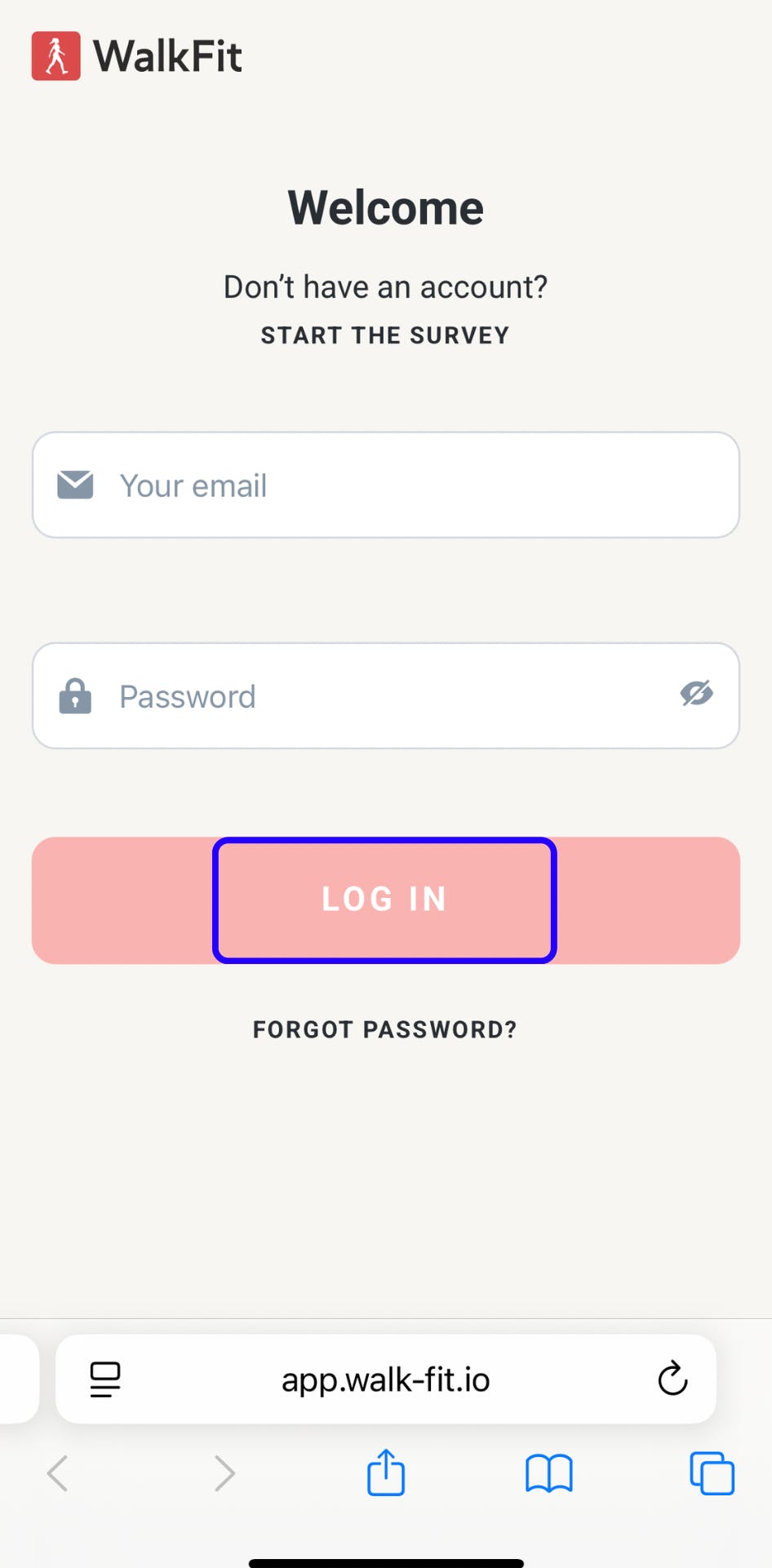
2. Enter the email address and password associated with your WalkFit account.
3. Choose the Log in option, as shown below:
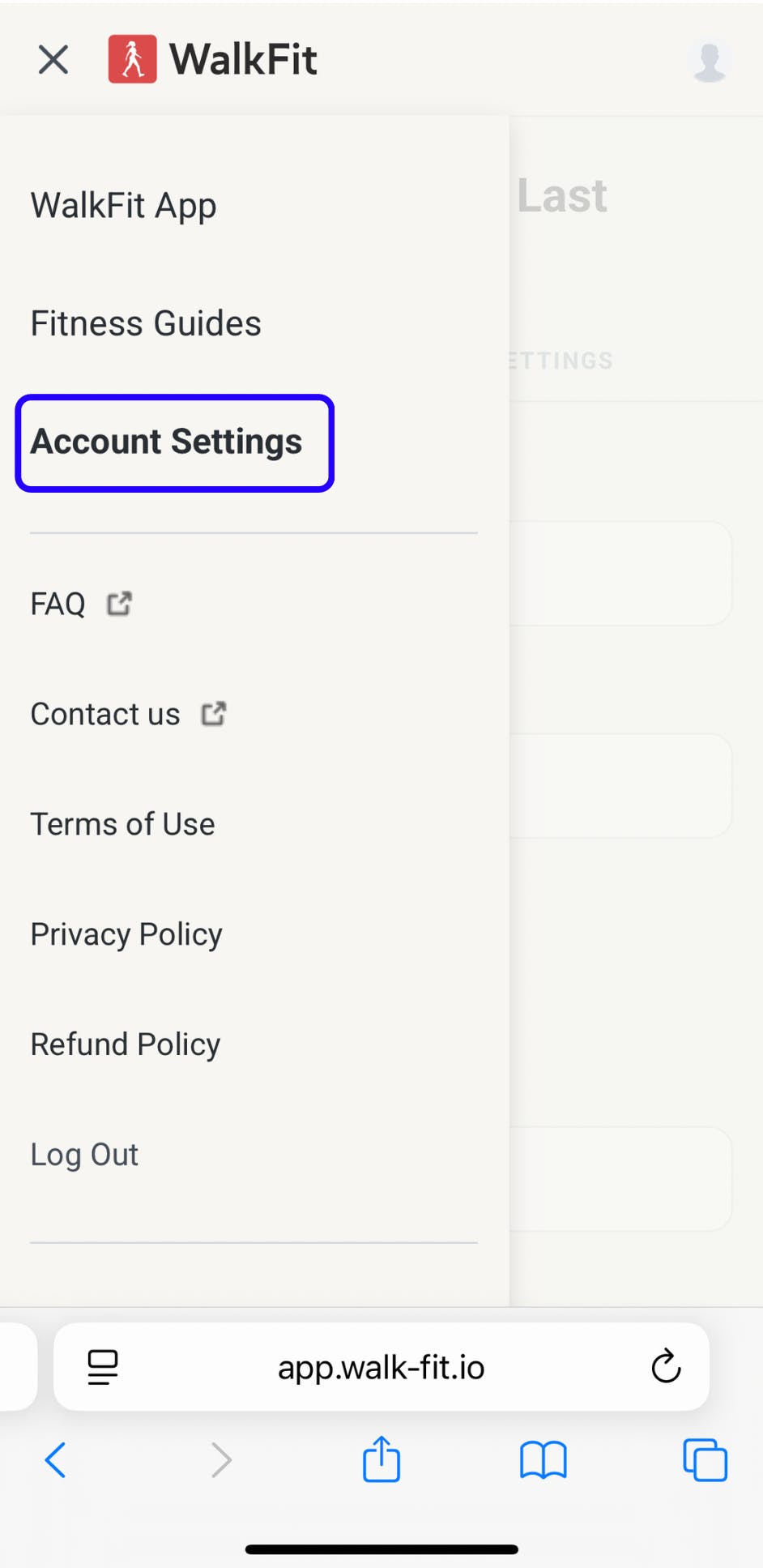
4. Then open the Account Settings tab and tap on the Subscription section.
5. In the Subscription section, you'll find a full list of your subscriptions and will be able to cancel them as you see fit.
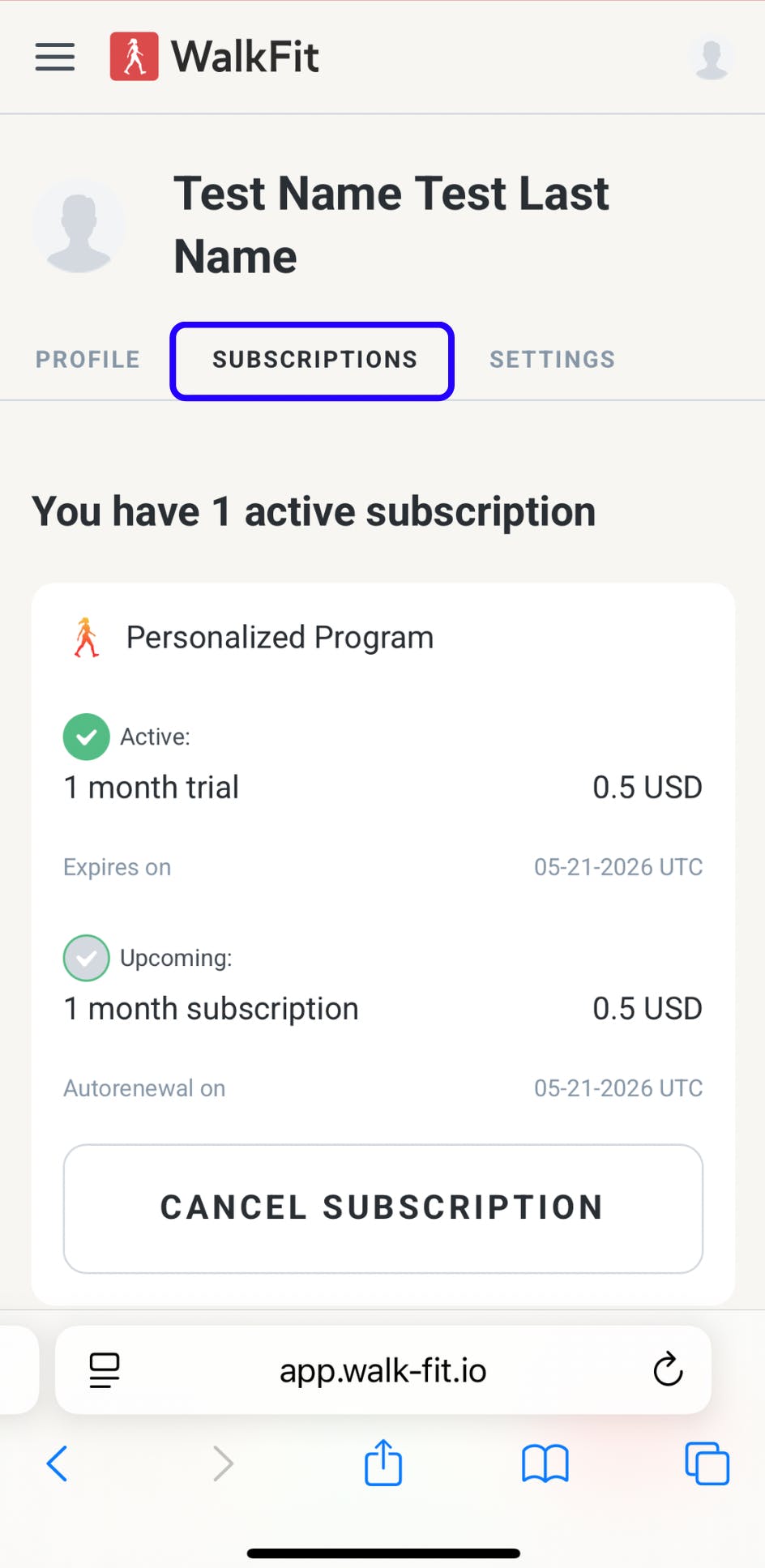
! Please note that subscriptions are auto-renewable by default. To avoid automatic renewal, you’ll need to cancel at least 24 hours before the start of your next billing cycle. Once canceled, your plan and access will remain active until your current billing period ends.