





My Apple Health data doesn’t match the WalkFit app
Check if you have the latest version of the app and if WalkFit is synced with Apple Health, as shown in the instructions below:
1. Open the WalkFit app.
2. Go to Profile > Integrations & Data.
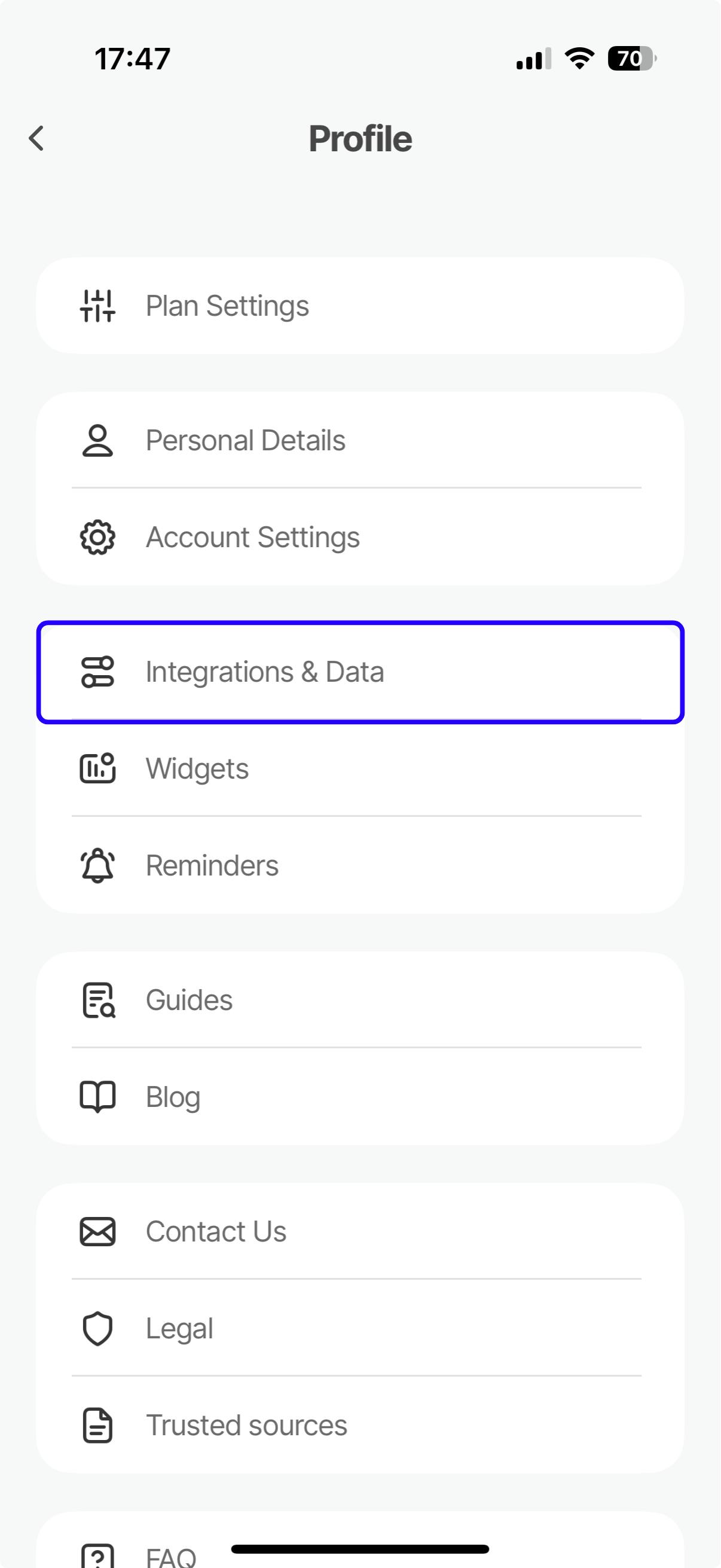
3. Click on the Apple Health option.
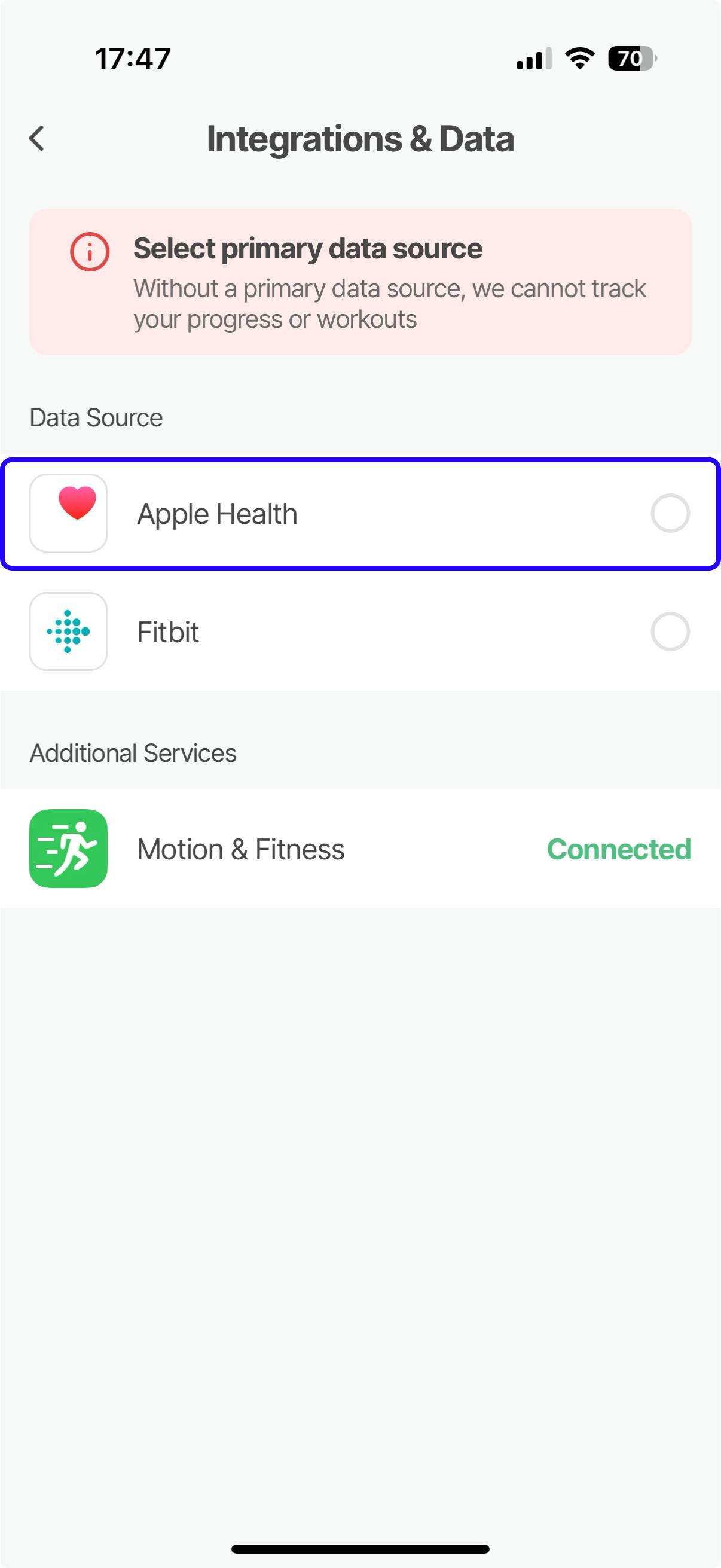
The data is updated every 30-60 minutes, or as soon as you open the app. Because of this, you might notice your daily goal is slightly lower on the home screen or in notifications. This is temporary, and the data will be fully accurate after the next sync. You can also refresh the app manually by re-opening it or using the pull-to-refresh feature on the main screen.
If you still have a problem after following the instructions in this article, we would greatly appreciate it if you could contact us via the Contact Us form, so we can follow up your request.